Title: Audit Trail

Traction is a true journaling technology, with best of class audit trail capability that goes well beyond basic wiki style edit history.


Like an accounting journal, the Traction Journal records every change, even cases where tags are added to an article and where articles are e-mailed from Traction. The audit trail includes a full trail of all articles posted as well as all article edits, comments, addition or removal of tags from an article, emails sent out, page name additions and removals, moderation events and other actions.

What Can You Learn from the Audit Trail?


For record keepers, the audit trail provides an exceptionally deep and useful view of article (and comment) history.

For users, the audit trail can help answer questions like:


Looking beyond the history of a single article, its also possible to query Traction for certain types of events in the audit trail. For example, you can discover "What features were tagged Done last week?" The results will display the articles where that happened, even if that Done tag was since removed (and is no longer shown on the article).

Attachments may also have an edit history. Attachments are maintained in the WebDAV (Web Distributed Authoring and Versioning) document store and may be versioned selectively or you can set mandatory versioning in projects.

History and Cross Reference Views


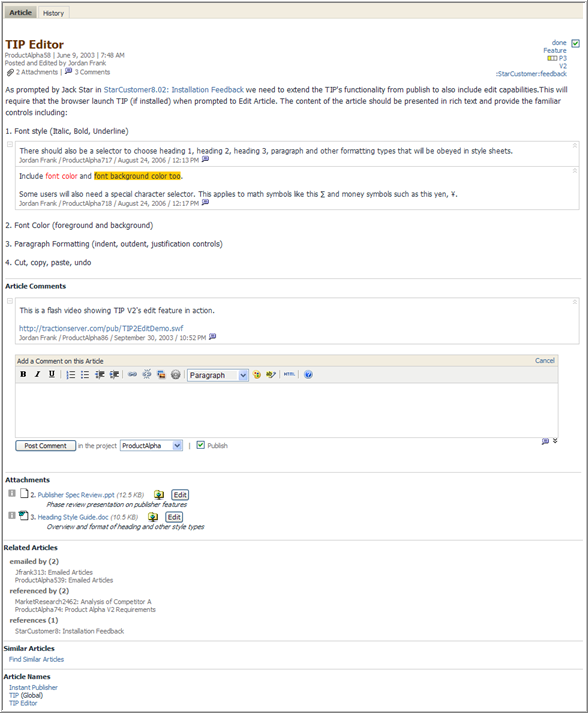
To explain the History and Cross Reference views, we can take a look at the article titled TIP Editor, and then take a look at its history and cross-reference map.

You can see that the article currently has 5 tags (Done, Feature, P3, V2, and Feedback from StarCustomer project), 2 comments on a paragraph, 1 comment on an article, and 3 Page Names (TIP Editor and Instant Publisher in this project and a global name TIP). In the Related Articles area, you can also see this Article was e-mailed twice, references 1 article and is referenced by 2 other articles.


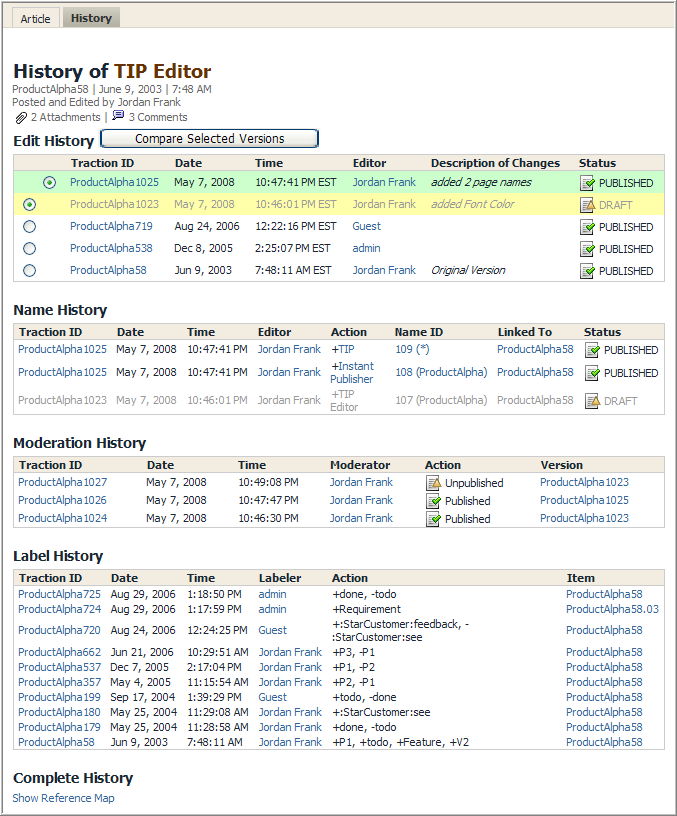
When you click the History tab, you see breakout sections for Edit, Moderation, Name and Tag History. These breakouts are followed by a Complete History that opens up the interleaved history of all types of actions that have occurred.


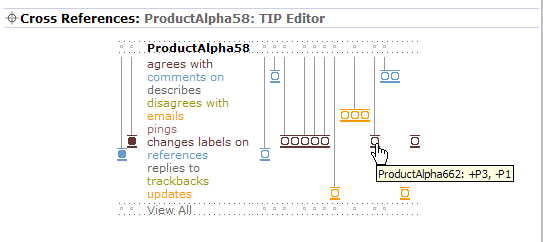
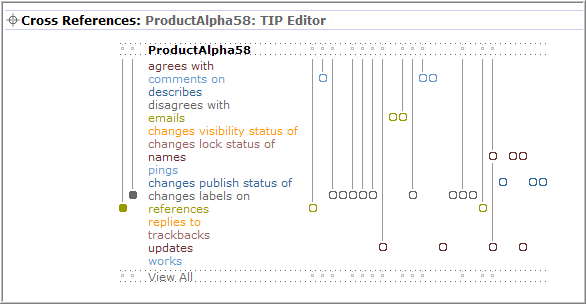
When you click on Show Reference Map, you see a map view showing history (left to right) of all actions and relationships.

For example, starting at the first bubble on the Updates line, you can see that it was edited (updates) and then it was emailed 2 times (emails), then tags were changed (changes labels) then 2 comments (comments on) came in before it was edited (updates) again.


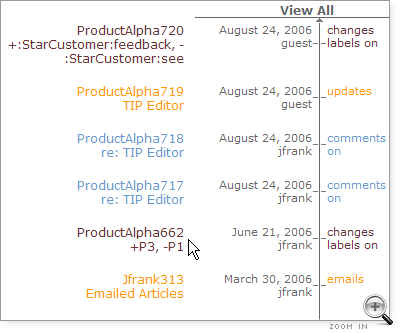
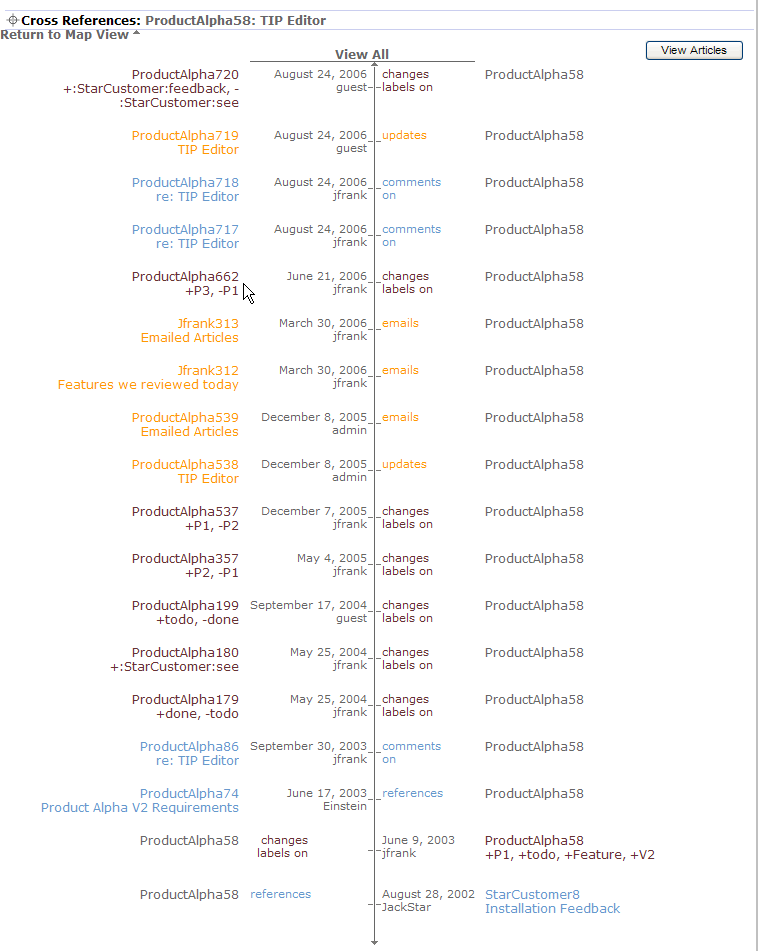
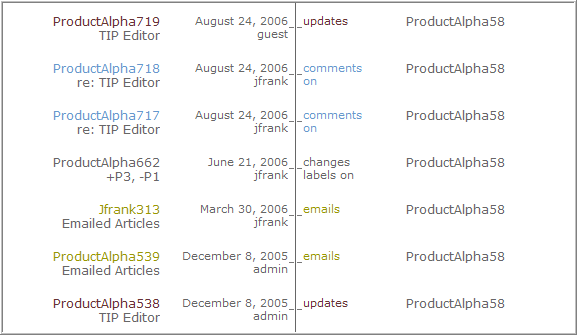
Clicking View All takes you to a vertical time history view with more detail, including the date of the event, the user, and, in the cases of Changes Labels On, the actual label change action (added P3, removed P1). Here is an image of the slice that is narrated above:


Any of the items in the view can be clicked to get even more detail about what happened.

Perspective Views


Perspective views are a very powerful way to examine history of tag changes.

With Perspective views, it's possible to look at Traction with the tag set based on any time period or perspective. So you can answer questions like:


Perspective views also come in handy if you change do a batch change because your terms have changed (e.g. change the tag Weblog to the tag Blog) but at some point later you want to see how the content was originally organized, rather than how it is organized.


Attachments:
cross-references-thumb.png
cross-references.png
cross-references-view-all-thumb.png
cross-references-view-all.png
AuditTrail_TipEditorArticle.png
AuditTrail_EditHistoryTIPEditor.png
AuditTrail_Xrefs_Map_TIPEditor.png
AuditTrail_Xrefs_TimeLine_TIPEditor.png
Related Articles
Article: Product8 (permalink)
Categories: :Public:feature
Date: September 5, 2006; 4:59:49 PM Eastern Standard Time

Author Name: Jordan Frank
Author ID: jfrank