When email is sent or posted to Traction, you can reply directly from Traction. The response message is sent as an ordinary email, but also published
to a selected project.
Traction creates a "replies to" relationship between the
two entries so you can follow the thread. Subsequent messages in the thread will
also be linked.
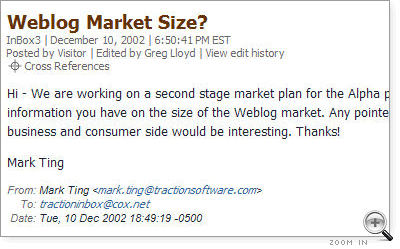
In Publishing, you saw this example of an email sent into Traction:
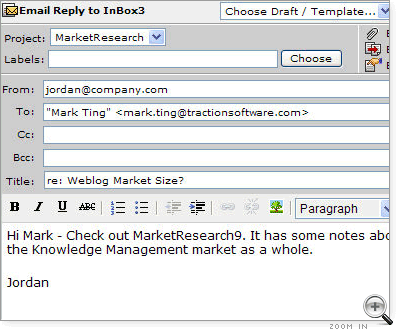
From the Article Tools in the sidebar, you can click Email Reply to send a message back to the sender. All the controls of the Add New Article appear, but you also have From, To, CC and BCC lines as well as the choice to include live links back to the server.
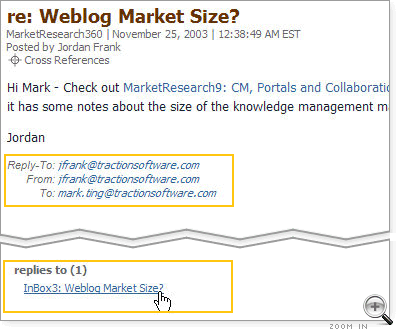
In this case, the text MarketResearch9 will turn into a link to the article it references, CM Portals and Collaboration Fading: Enter Smart Suite. The link will appear in the email and in the article that publishes to Traction:
Note the Replies To relationship created automatically that links this response article to the email it responded to. It is a bi-directional relationship. If you scroll back up to see that original email, you will note it has a Is Replied to By relationship to the response email.