July 2015 | TeamPage Live Task Lists
Traction® TeamPage Summer 2015 Release update introduces TeamPage live task lists: drag and drop to reorder tasks for a project or milestone, everyone sees the live update. Use shared task lists to keep everyone in synch on order of execution for tasks as well as planned start and end dates. A live Presence bar shows who else is watching the same page.
Live Task Lists
TeamPage task lists now support drag and drop ordering. Task lists shown in the browser automatically update themselves to show changes made by other users.
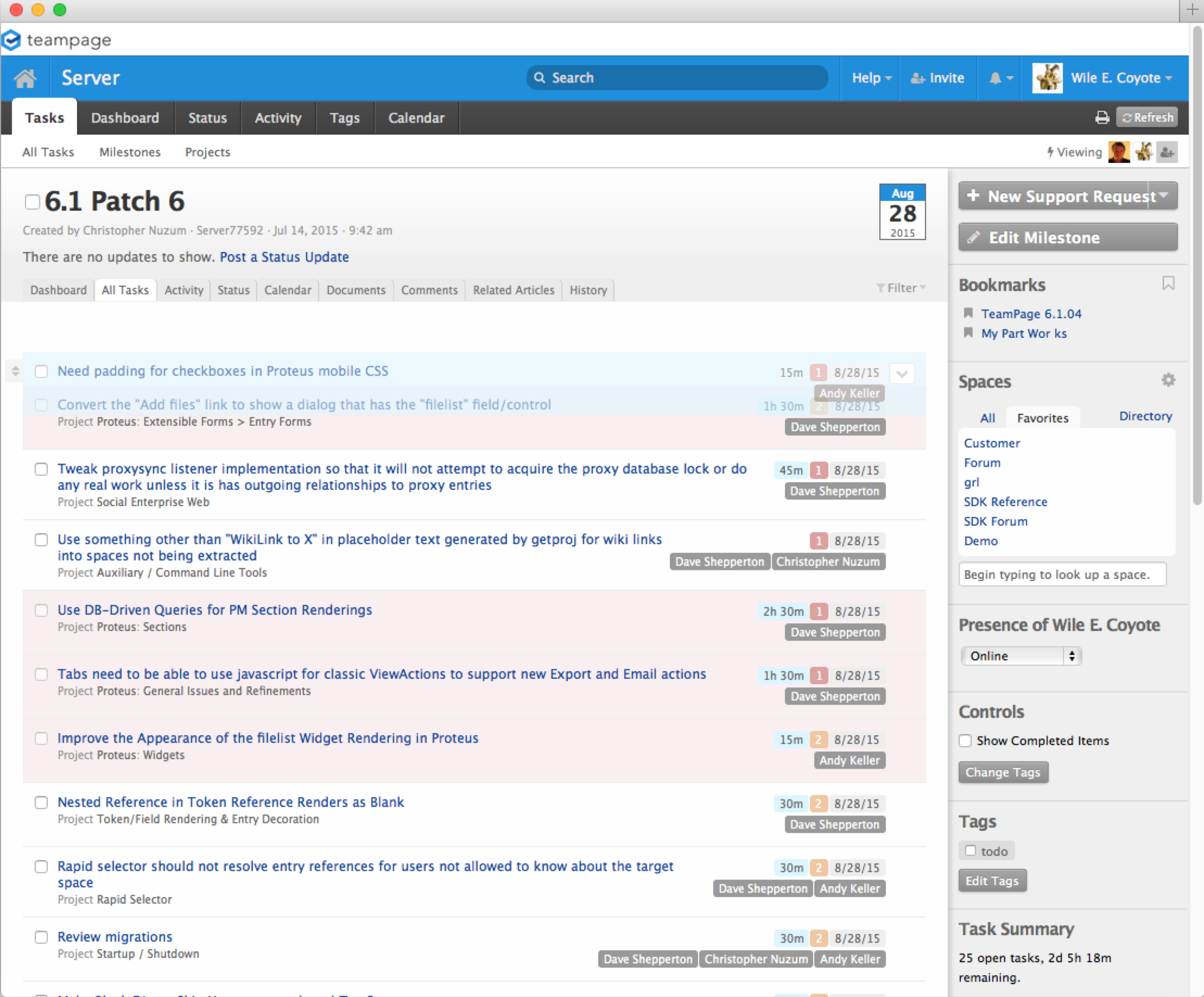
In the screenshot to the right, the highlighted task (light blue background) is being dragged to the first position in list (the drag handle is not visible in this screen capture).
Task views also add a Presence bar to show who else is looking at that page, see the three avatars in the upper left after the word Viewing. These people will see the live drag and drop action without having to hit the Refresh button.
Live animation and presence features require a browser that supports WebSockets, starting with Internet Explorer version 10, Google Chrome 16, Firefox 11, or Safari 6 and newer versions.
Other Release Highlights
The release also: improves performance for native fulltext queries, particularly for Japanese language text; restyles email notifications, error and feedback pages, context (right click) menus; improves metadata and fulltext index rebuild status for administrators. The release includes bug fixes, updated internationalization, and other performance improvements.
Related
May 2015 | TeamPage Bookmarks, interactive filters, and Japanese search improvement Focus on what matters to you
March 2015 | TeamPage 6.1 Burn-up charts, interactive tables, SDK extensions Better tools for understanding the big picture of a projects or milestones
Dec 2014 | TeamPage @ Mentions Bring any TeamPage item to someone's attention, bring them into the followup conversation
July 2014 | TeamPage Notifications Introducing inline notifications
June 2014 | Traction TeamPage 6.0 Major Release. Restyled skin, Editing, Forms, Security, and internal improvements.
The Work Graph Model: TeamPage style Understand how TeamPage connects people and their work
 I18N ERROR: @tsiskin#footer_RSS_Feed